SISTEMA | 台灣
Introducing SISTEMA
SISTEMA is a free software utility that helps developers and designers of safety-related parts of control systems (SRP/CS) perform assessments in accordance with ISO13849-1 “Safety of machinery -- Safety-related parts of control systems -- Part 1: General principles for design.”

SISTEMA supports a variety of assessment methods for SRP/CS that are modeled on the configuration of safety-related components, based on a specified architecture.
In particular, performance level (PL) is assessed and SRP/CS is validated through automatic calculation, based on reliability data related to the mean time to dangerous failure (MTTFD) of the safety components that make up the modeled SRP/CS, the diagnostic coverage (DC) that indicates the failure diagnosis rate, and the common cause failure (CCF) in multi-channel systems.
It is also possible to output the result of validation as an assessment report, which can be used as a technical report for the safety assessment of machinery and equipment.
IDEC SISTEMA Library
IDEC provides the machine safety reliability data that is required to help you calculate the PL of your equipment, in the form of parameter lists (PDF files) for each product model and a SISTEMA library.
The library is updated from time to time, so please be sure to check the version on a regular basis.
List of Parameters for IDEC Products (PDF File)
SISTEMA Library for IDEC Products
SISTEMA Version 2.x.x
SISTEMA Version 3.x.x
For products that are not shown in the parameter list, please contact us via the following link.
SISTEMA Download Link
Click here to download SISTEMA
You must register your email address to download SISTEMA.
SISTEMA is a free software utility that is developed and distributed by The Institute for Occupational Safety and Health of the German Social Accident Insurance (Institut für Arbeitsschutz der Deutschen Gesetzlichen Unfallversicherung, IFA).
It supports multiple languages, including Japanese as well as German and English.
SISTEMA - Default Setting
The procedure for registering the SISTEMA Library for IDEC Products as the default setting is described below.
1. Download SISTEMA from the IFA website and install it on your computer.
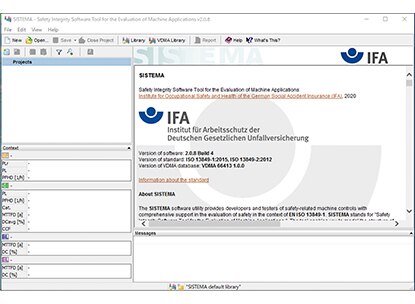
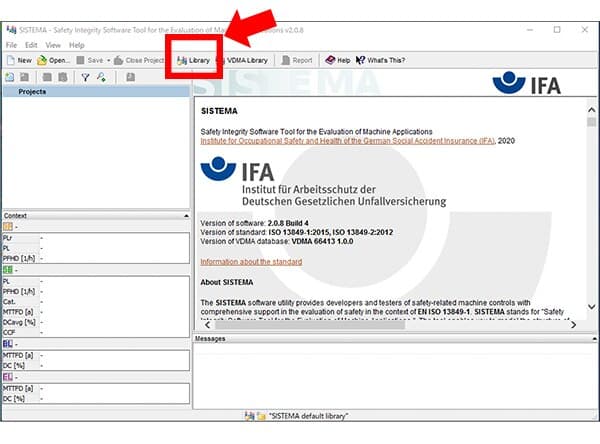
2. Run SISTEMA, and click “Library.”
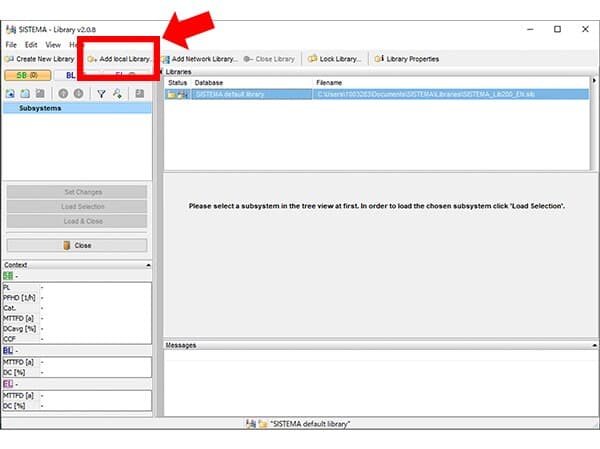
3. On the screen that appears after Step 2, click “Add Local Library.”
4. On the screen that appears after Step 3, select the “SISTEMA Library for IDEC Products” file that you downloaded previously.
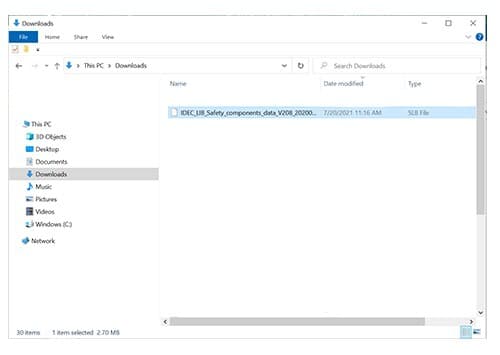
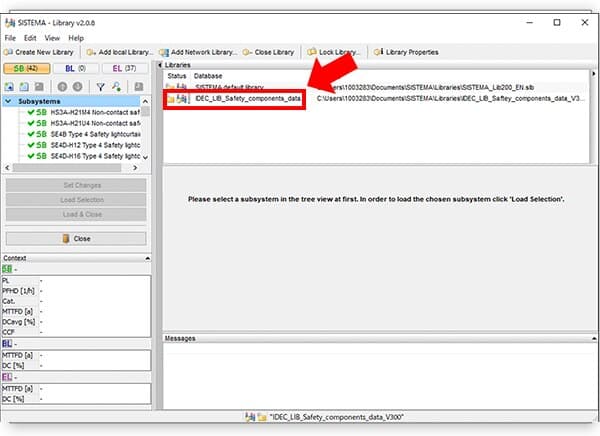
5. If the file that you selected in Step 4 is shown, registration of the SISTEMA Library for IDEC Products is complete.